

Almost every skyscraper, hospital, and transit hub you've walked through began life as a single intelligent digital model — and a huge share of those models were built in Autodesk Revit. In 2026, it's still the tool the architecture, engineering, and construction (AEC) world quietly runs on. Here's what it does, why it matters, and whether it deserves a spot in your skill set.
So what exactly is Revit?
Revit is Building Information Modeling (BIM) software. The distinction that matters is this: traditional CAD draws lines, but Revit builds intelligent objects. A wall in Revit knows it's a wall — it carries its thickness, materials, fire rating, and cost. Draw it once, and every floor plan, section, elevation, and schedule that references it updates automatically. That single source of truth is the line between modern BIM and old-fashioned drafting, and it's why Revit became an industry standard.
What you can actually do with it
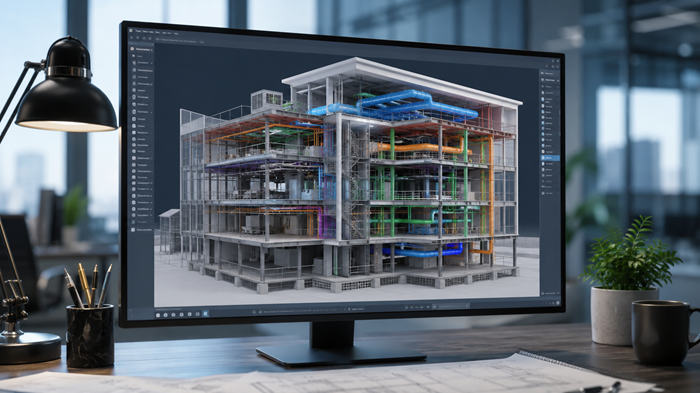
Revit isn't one tool — it's a full design-to-documentation pipeline. In a single environment you can model architecture, structure, and MEP (mechanical, electrical, and plumbing) systems; generate complete construction documents; run clash detection to catch conflicts before they reach the site; pull live quantities and schedules straight from the model; and produce client-ready visualizations. Because everything is connected, the model becomes a database you can query, not just a drawing you look at.
Why it matters: coordination, not just modeling
The real superpower is collaboration. Architects, structural engineers, and MEP teams work on linked models, so a duct routed straight through a steel beam gets flagged on screen — not discovered by a confused contractor mid-build. Catching that clash in the model costs minutes; catching it on site costs thousands. Multiply that across a large project and you understand why entire firms standardize on it.

What's new in Revit 2026
The 2026 release leans toward refinement over revolution. The headline addition is an Accelerated Graphics Tech Preview that modernizes Revit's aging graphics pipeline and brings noticeably smoother navigation, especially in 3D views. Documentation also got smarter: a new View to Sheet Positioning and Automated Placement feature lets you precisely position views on sheets and cuts down on manual adjustment. Renovation teams benefit from the ReCap Pro Mesh plugin, which imports large reality-capture meshes without crippling model performance and can convert them into editable Revit families — a real win for scan-to-model work. Add in expanded terrain (toposolid) tools and a fully extended dark theme, and it's a solid quality-of-life update.
Worth noting for balance: not everyone is dazzled. Some longtime users feel the improvements are subtle quality-of-life tweaks rather than bold new features, and newer challengers like Snaptrude, Arcol, and Motif are starting to draw attention. For now, though, Revit remains the one to beat.
Is it worth learning in 2026?
If you work anywhere in AEC, Revit fluency is close to a baseline job requirement, not a bonus. The learning curve is genuine — expect to invest real time before it clicks — but the payoff is high: faster documentation, fewer costly errors, and a skill that appears in a large share of industry job listings. For students and career-switchers, it's one of the highest-leverage tools you can put on a résumé.
Revit isn't flashy. It's foundational. And as long as buildings need to be designed, coordinated, and built without expensive surprises, the software holding all those pieces together isn't going anywhere.