
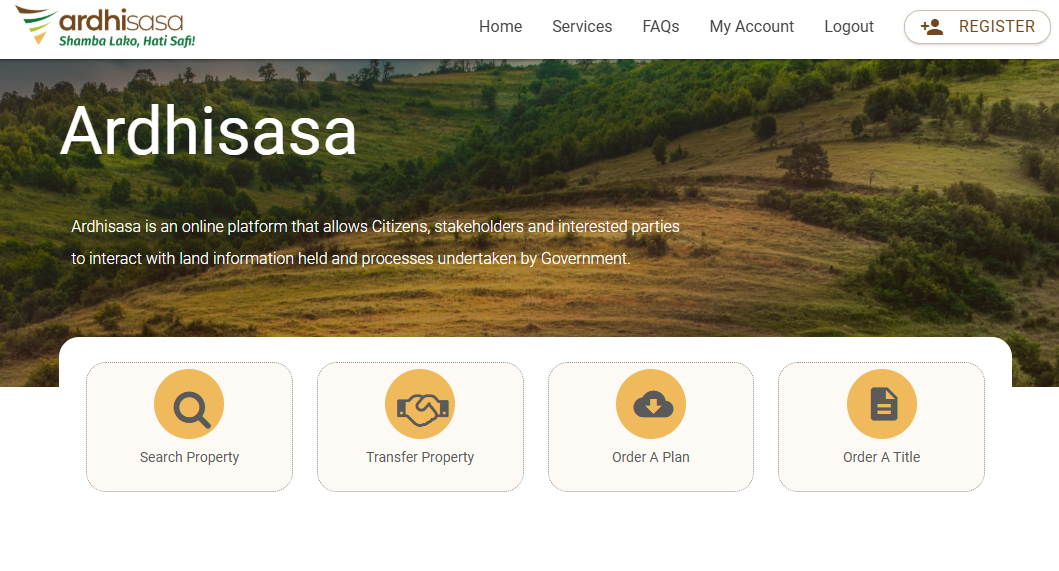

If you own land in Kenya — or plan to — there is one platform you absolutely must know about: Ardhisasa. Gone are the days of camping outside Ardhi House for hours, battling long queues and mountains of paperwork. The Kenyan government launched Ardhisasa as an online platform designed to streamline and digitize land services, and it is changing everything about how Kenyans interact with land.
🌠What Is Ardhisasa?
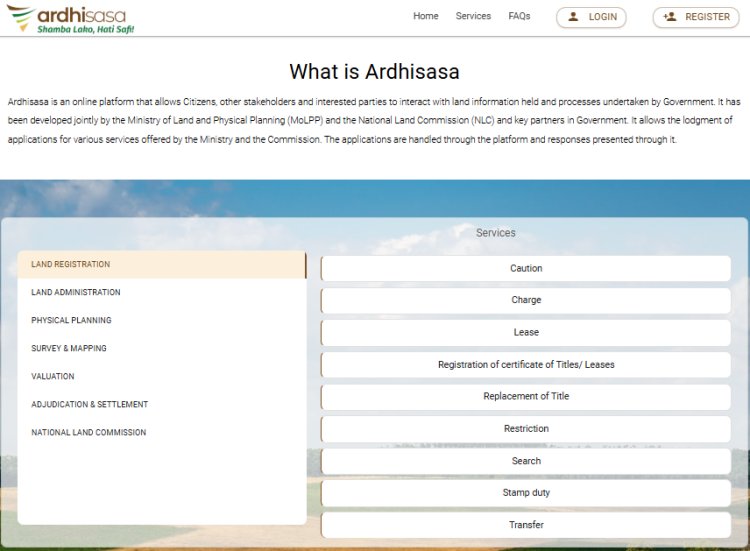
The Ardhisasa platform boasts features designed to empower citizens and stakeholders in their interactions with land information, with an emphasis on self-service that minimizes third-party involvement and mitigates potential fraud risks.
Here is a quick snapshot of what you can do on the platform once your account is live:
- Search land records and title deeds online
- Pay land rent digitally
- Register land transfers and charges
- Apply for physical planning and valuation services
- Submit cautions and caveats
- Track all your applications in real time
✅ Why You Need an Ardhisasa Account
Ardhisasa accounts are mandatory for individuals that are owners of land in Kenya. The shift from the manual registry to the digital registry will make it impossible for individuals to transact on their land without having a valid account.
That is not something to take lightly. If you own land in Kenya and you do not have an Ardhisasa account, you risk being locked out of critical transactions — including transferring, selling, or even searching your own property.
Important Note: You cannot create Ardhisasa accounts on behalf of other people. One mobile number is restricted to use by one account.
📋 What You Need Before You Start
Before you open the Ardhisasa website, make sure you have the following ready. This will save you time and prevent frustrating interruptions mid-registration.
For Individual Registration:
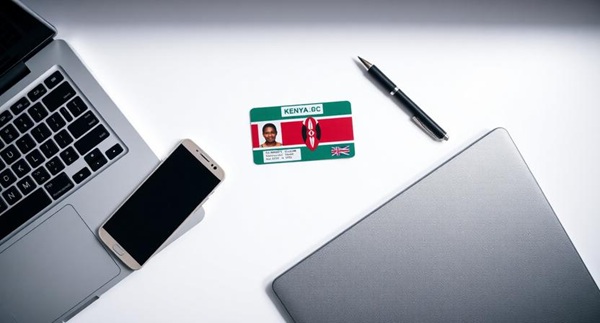
- ✅ Your Kenyan National ID (the number and the physical card)
- ✅ An active phone number that can receive SMS (for OTP verification)
- ✅ A valid, working email address (for OTP verification)
- ✅ A passport-size photo (digital copy)
- ✅ A strong password in mind (must include uppercase, lowercase, a number, and a special character)
For Company Registration:
- ✅ Company Registration Number (from the Certificate of Incorporation)
- ✅ Company KRA PIN (separate from the director's personal PIN)
- ✅ Company phone number and email that can receive OTP codes
- ✅ Physical and postal address of the company
ðŸ-¥ï¸ Step-by-Step: How to Register as an Individual
Step 1 — Visit the Official Ardhisasa Website
Open your browser and go to: 👉 https://ardhisasa.lands.go.ke
You will find the registration button on the homepage. Make sure you are using the official government URL to avoid phishing sites. Bookmark it for future use.
Step 2 — Click on "Register" and Choose Your Account Type
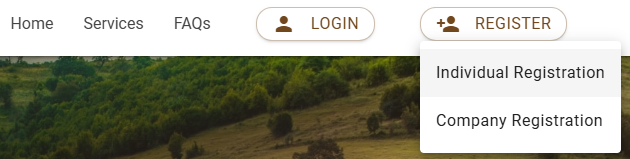
On the homepage, click the "Register" tab. A dropdown menu will appear with two options:
- Individual Registration — for Kenyan citizens and foreign nationals registering as persons
- Company Registration — for businesses, LLPs, Saccos, societies, etc.
For this guide, select "Individual Registration". See below.
Step 3 — Enter Your National ID and Verify
Under Identification Type, select "National ID." Under ID Number, enter your National ID number and click "Verify." See below.
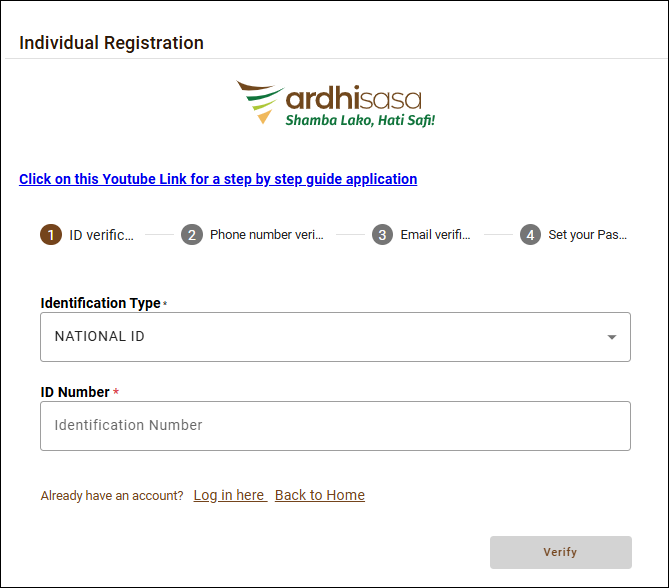
A new tab will pop up with your personal details pulled from the government's records. Review the information displayed — your full name, date of birth, and other details — to confirm everything is accurate.
If your ID number returns an error, double-check you have typed it correctly. Ensure there are no spaces before or after the number.
Step 4 — Phone Number Verification (OTP)
After your ID is verified, the platform will open a tab titled "Phone Number Verification."
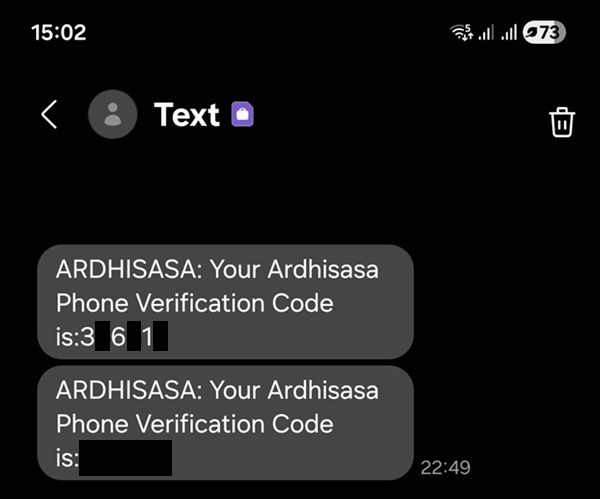
Enter your phone number and press the "Get OTP Code" button. In the provided space, enter the OTP code received on your phone.
The OTP (One-Time Password) is a 6-digit code sent via SMS to your phone. You typically have a few minutes to enter it before it expires, so keep your phone close. Here is an example:
Tip: If you do not receive the OTP within a minute, click "Resend." Make sure your phone has network coverage and is not on airplane mode.
Step 5 — Email Address Verification (OTP)
Once your phone number is verified, a new tab titled "Email Verification" will open.
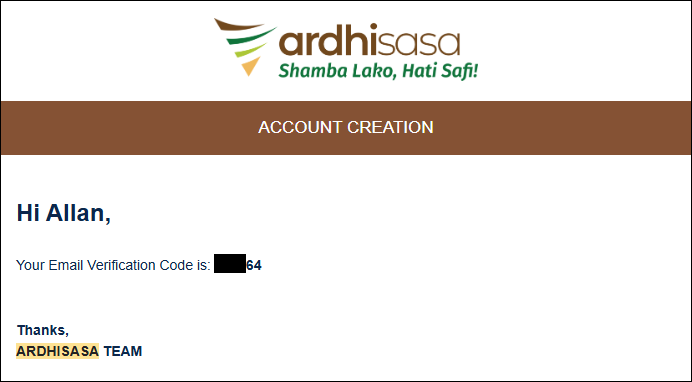
Enter your email address and click "Get OTP Code." Check your email for the code and enter it in the space provided. Check your spam/junk folder in case you do not receive it in your inbox. See below.
Step 6 — Set Your Password
After email verification, you will be directed to a "Set Your Password" tab.
Your password must contain at least one number, one letter in capital case, one letter in small case, and one special character.
A good example of a strong password: Kenya@2026Land — though of course, use something unique to you and do not share it with anyone.
Step 7 — Agree to Terms & Conditions and Click Register
Tick the box at the bottom-left corner of your screen to confirm that you agree with the terms and conditions, then click "Register."
Read through the terms briefly before ticking — they outline how your data will be used and your responsibilities as a platform user.
Step 8 — Receive Your Ardhisasa ID 🎉
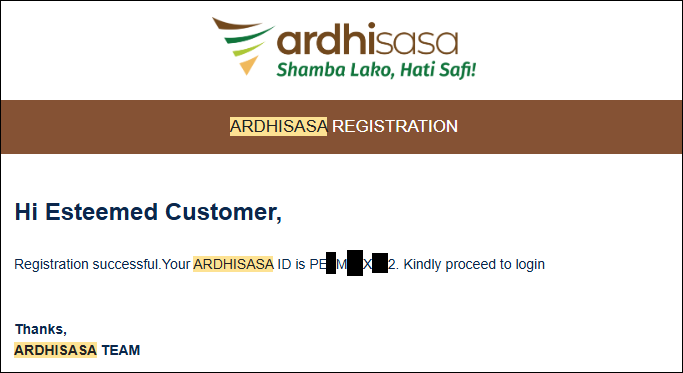
Once registration is confirmed, your Ardhi Sasa ID will be provided.
Congratulations — you are now a registered Ardhisasa user! Your Ardhisasa ID is your unique identifier on the platform. Write it down and keep it safe. You will need it for future land transactions. The ID looks like this:
🢠How to Register as a Company on Ardhisasa
If you are registering on behalf of a business, the process is similar but uses company details instead of personal ID.
Step 1: Visit https://ardhisasa.lands.go.ke and click "Register," then select "Company Registration."
Step 2: Enter the name of your company, provide the registration number found on the certificate of incorporation, and select the country (Kenya).
Step 3: Enter the KRA PIN of your company. Remember, the company's KRA PIN is separate from the owner's or director's PIN.
Step 4: Fill in the physical and postal address of the company, then click "Verify."
Step 5: Enter the company's phone number and click "Get OTP." An OTP code will be sent as a text message to that phone number. Enter the OTP and click "Verify."
Step 6: Complete email verification using the company email address.
Step 7: Set the company password, agree to the terms, and click "Register."
âš ï¸ Critical Reminder: The telephone number and email address used for company registration must not be used for any other registration on Ardhisasa, even on personal accounts.
🔑 How to Log In to Your Ardhisasa Account
Once registered, logging in is simple but slightly different from other platforms — because of the OTP layer.
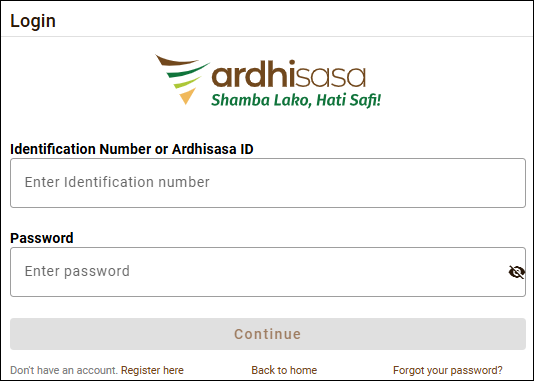
Step 1: Go to https://ardhisasa.lands.go.ke and click "Login."
Step 2: Enter your ID number or registration number and your password. It looks like this:
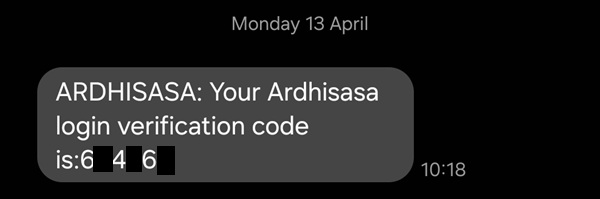
Step 3: A one-time password (OTP) will be sent to your registered phone number. Enter this OTP to complete the login process. It looks like this:
ðŸ-ºï¸ What to Do After Logging In
Your Ardhisasa dashboard is your command centre for all land matters. Here is a quick overview of what you will find:
Land Search — search for land records using criteria such as title number or parcel number. Land Transactions — initiate transfers, leases, and subdivisions. Payment — pay for land-related services online through Ardhisasa.
You can also check the status of ongoing applications, view completed registrations, and download important certificates — all from one place.
â“ Frequently Asked Questions (FAQs)
Can a foreigner register on Ardhisasa? Yes, a foreigner can create an Ardhisasa account. They would use their foreign identification documents during registration.
Can I register on behalf of someone else? No. You cannot create Ardhisasa accounts on behalf of other people — one mobile number is restricted to use by one account.
Is registration free? Yes, creating an account on Ardhisasa is completely free. While creating an account is free, specific services may have associated fees. The platform provides detailed information on any charges before you submit your request.
How much does a land search cost? Performing an online land search on Ardhisasa costs Ksh 500. Payments can be made through M-PESA, ATM cards, or credit cards, with instructions provided on the platform.
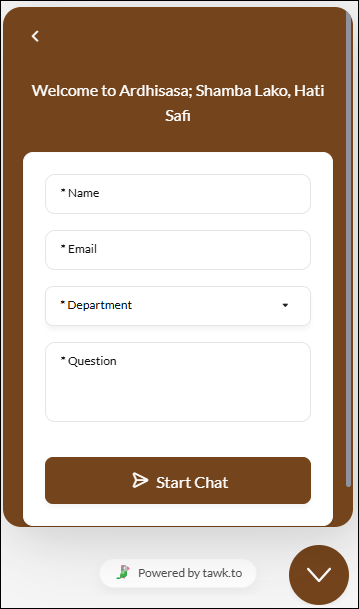
What if I need help? Ardhisasa provides a real-time chat support feature to address users' queries promptly. With a live chat option, users can directly communicate with an agent who can assist them in utilizing the platform effectively. You can also visit Ardhi House, Off Ngong Road, Nairobi, or email them.
🚀 Final Thoughts
Registering on Ardhisasa takes less than 15 minutes if you have everything ready — and it is one of the most important things any Kenyan landowner can do right now. Ardhisasa marks a significant milestone in the modernization of Kenya's land management. It not only makes land transactions more accessible and reliable but also reduces the risk of fraud, benefiting both individual landowners and the economy as a whole.
Do not wait until you need to make a transaction urgently. Register today, secure your Ardhisasa ID, and take full control of your land rights the modern way.
👉 Get started now: https://ardhisasa.lands.go.ke
Was this guide helpful? Share it with a friend or family member who owns land in Kenya — they will thank you for it!